
SonicWorks
SonicWorks
Turbo PDF Exporter and Compressor and Turbo Image Compressor and Exporter are now available.
10 Free Trial Actions per Plugin
Local File Processing
Figma Plugin Access
15-Day Refund Guarantee
Improves Productivity
Work faster and smarter with plugins designed to eliminate repetitive tasks and streamline your workflow.

Secure
PDF and image processing happens locally in Figma. License validation may use a network request; design files are not uploaded for processing.
Stay in your workflow
Process PDFs and images inside Figma without switching to a separate conversion app.
No separate account
No separate SonicWorks account is needed. After purchase, enter your license key in the matching Figma plugin.
Modern UI
Clean, modern interfaces designed for clarity, ease of use, and an enjoyable experience.
Quick Support
Contact our support team for help with setup, billing, or product questions.

Hello need option to resize to 6x

Working on it, will be live in 2 days
Ok Thank You

Export print-ready PDFs and prepare optimized web assets directly in Figma with dedicated tools for each workflow.
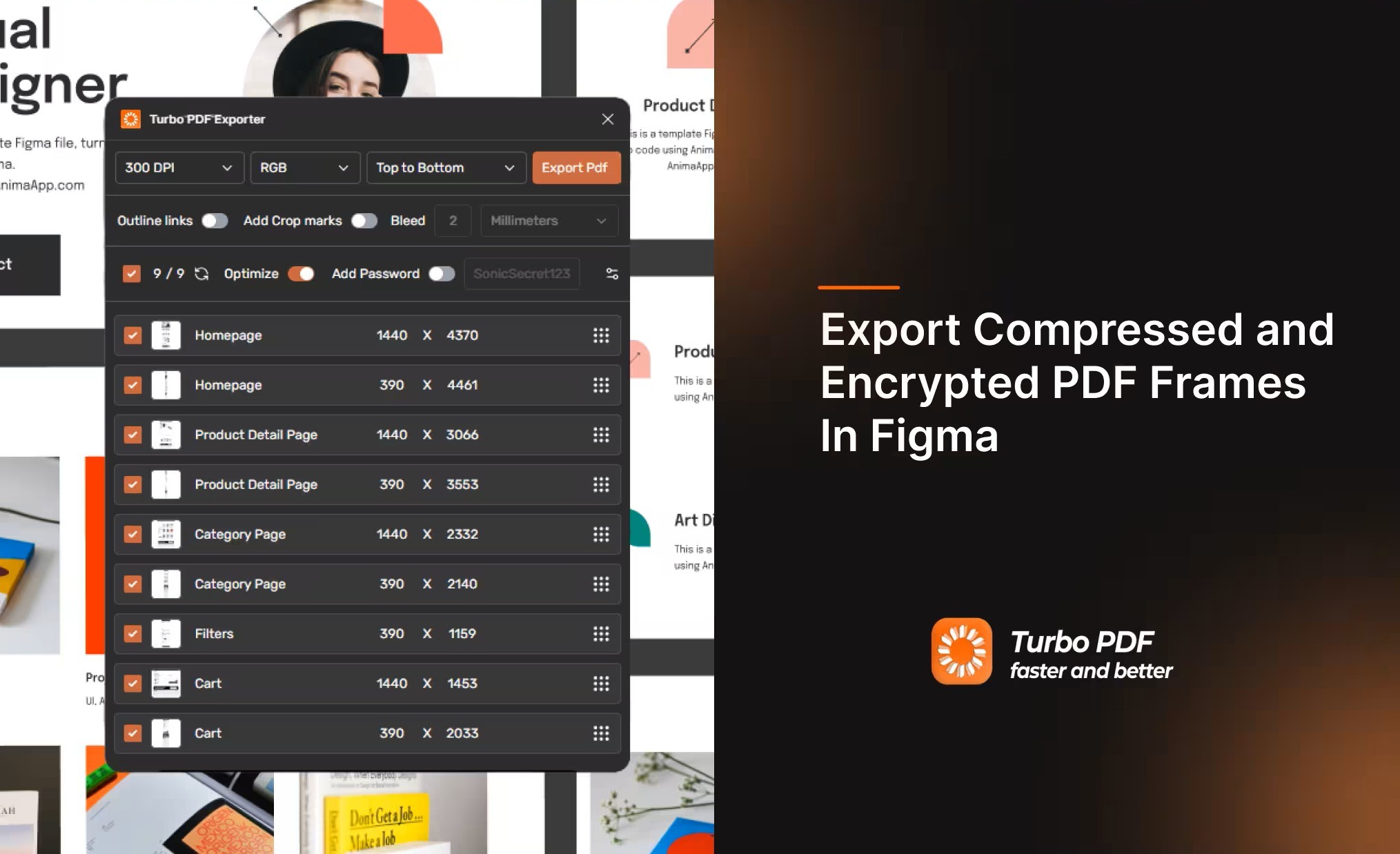
Prepare print-ready PDFs from Figma. Set CMYK or grayscale output, configure bleed and crop marks, and combine selected frames with optional password protection.
CMYK & Grayscale Modes
Choose CMYK or grayscale output for print workflows
Custom Bleed & Crop Marks
Configurable bleed margins & printer trim alignment
DPI Optimization (72, 150, 300 DPI)
High-res 300 DPI for press or ultra-light for email handoffs
Merge Frames & Drag Reorder
Combine multiple frames into one unified multi-page document
PDF Password Encryption
Protect sensitive presentations and confidential client decks
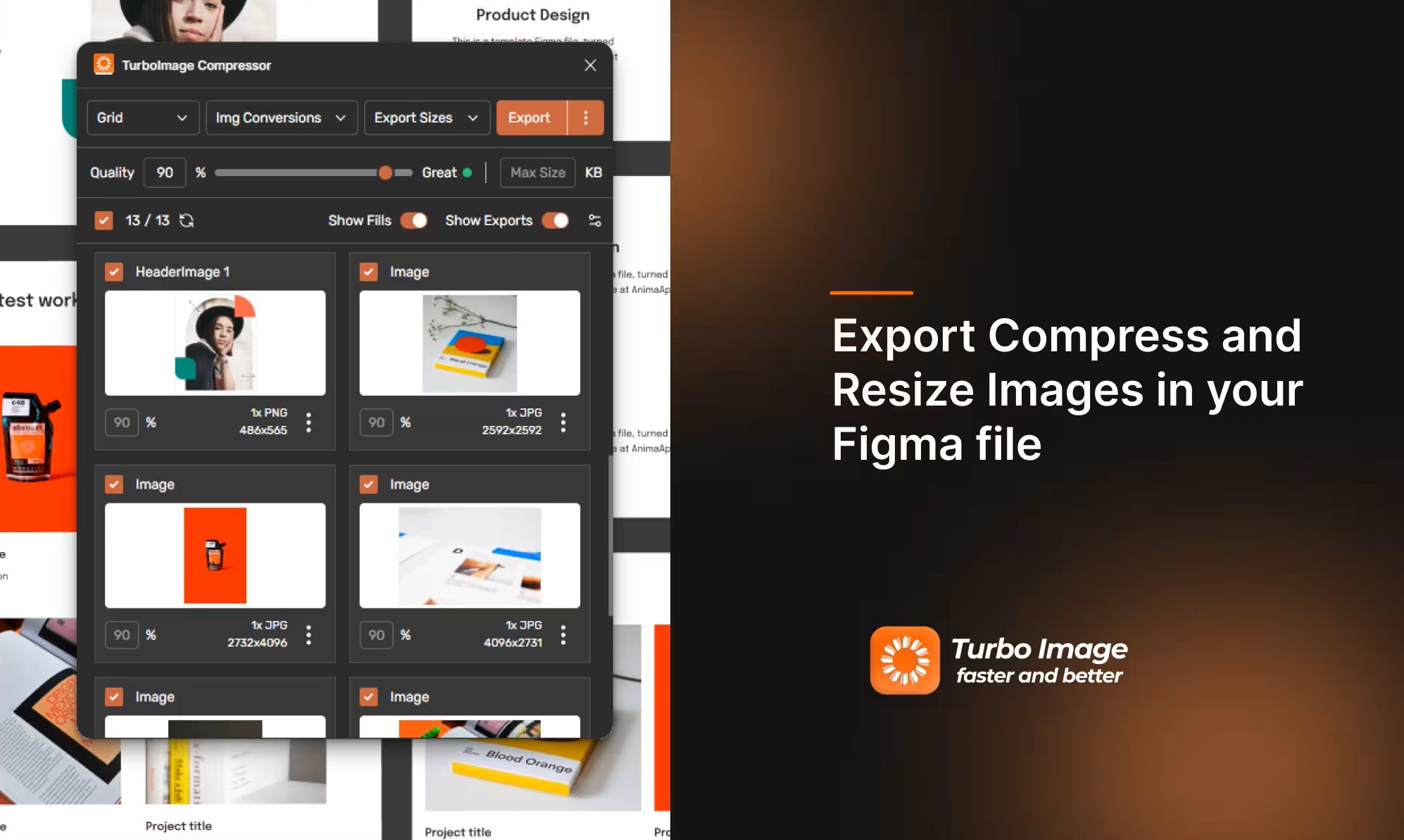
Compress PNG, JPG, WebP, and AVIF images, with reductions of up to 90% on some assets. Results depend on the source image, output format, and quality setting. Exported assets can retain your Figma frame and layer structure in nested folders.
Next-Gen WebP & AVIF
Cut web asset load times with modern high-efficiency formats
Folder Hierarchy Downloads
Exports mirror your Figma layer tree structure automatically
Up to 90% Smaller on Some Assets
Results vary with source image, output format, and quality setting
Batch Resize & Multi-Scale
Export @1x, @2x, @3x across multiple formats in a single pass
Local Image Processing
Image processing runs locally; license checks may use the network
Compare these Figma export features with native export and TinyImage. Check current plan pages for pricing.
| Feature & Capability | Turbo PDF Exporter and Compressor and Turbo Image Compressor and ExporterRecommended | Figma Native | TinyImage |
|---|---|---|---|
Modern Web Image Formats (WebP & AVIF) Export and compress WebP and AVIF assets straight from Figma canvas | |||
Merged Multi-Page PDF Export Combine multiple Figma frames into a single unified multi-page PDF | |||
Print-Ready CMYK & Grayscale Modes Color space conversion for commercial print houses & preflight | |||
Custom Bleed Margins & Crop Marks Configurable bleed allowances & printer trim alignment marks | |||
DPI Resolution Optimization Configurable resolution settings (72, 150, 300 DPI) for print and digital | |||
PDF Password Encryption Secure confidential pitch decks and client PDFs with password protection | |||
Local File Processing PDF and image processing stays in Figma; license checks may use the network | |||
Stand-Alone Purchasing Flexibility Option to purchase only the specific tool you need (PDF or Image) | Built-in | ||
Free trial access Try Pro features before purchasing; trial allowances vary by plugin. | 10 free actions per plugin | Built-in export | 10 free Pro trials |
TinyImage feature information is based on the publisher's product page and PDF export documentation. Features can change; check the documentation for current details.
Everything runs in a clean native panel inside Figma. No context switching, external web tools, or tedious manual reformatting.
Commercial Print & Pitch Ready: Configure raster output up to 300 DPI, CMYK and grayscale output, bleed allowances, and password protection with Turbo PDF Exporter and Compressor.
Get full, unlimited access to both Figma plugins with a single license key. Everything you need for print publications, client pitch decks, and optimized web production.
One plan, two plugins
Choose monthly or annual billing
See current bundle pricing and billing terms on the plans page.
Get the Turbo PDF Exporter and Compressor and Turbo Image Compressor and Exporter bundleSonicWorks plugins process PDFs and images locally inside Figma. License validation may still require a network connection.
Frames, layers, and images stay in Figma while PDFs and image assets are processed locally.
Compression and PDF generation run in your local Figma app. License validation may require an internet connection.
Local processing helps keep confidential pitch decks, product designs, and pre-release IP on your device.
Online checks validate your subscription. Your design files are not uploaded for PDF or image processing.
Everything you need to know about licensing, local privacy, and plugin features.
You do not need a separate SonicWorks account. Figma plugin access depends on your Figma plan, seat, file type, and any organization admin restrictions. Figma currently allows plugins on Starter and eligible paid seats; check Figma’s access rules for your workspace.