Compress with control
Adjust quality for each image or set a maximum file size. Results vary by source, format and settings, so review the export for your needs.

SonicWorks
Figma plugin
Compress, resize and convert image assets directly from Figma. Prepare batches of JPG, PNG, WebP or AVIF exports with per-image quality controls and organized downloads.
Includes 10 free Pro actions. No credit card required.
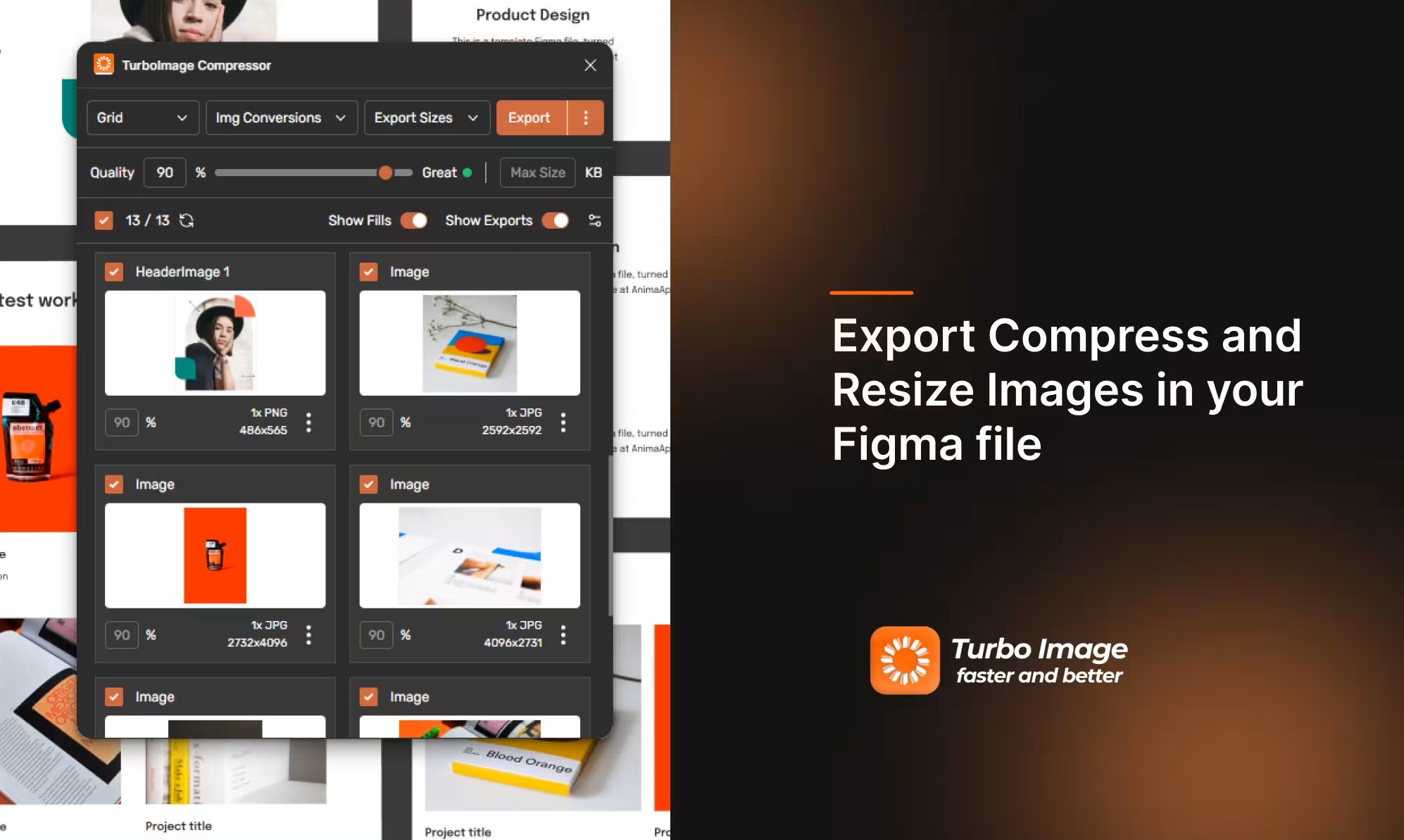
Prepare web and app assets in batches from Figma. Choose formats, quality, dimensions and scales, then keep the resulting files organized for a faster handoff.
Adjust quality for each image or set a maximum file size. Results vary by source, format and settings, so review the export for your needs.
Export selected image fills as JPG, PNG, WebP or AVIF, and process a batch together instead of repeating the same steps asset by asset.
Set custom dimensions and common scales for web, app and design handoffs, then prepare multiple sizes in one export workflow.
Download assets in folders that follow the Figma frame and layer structure, making large batches easier to navigate and hand off.
Image processing runs in the Figma plugin. License validation may use the network, but your design images are not uploaded for processing.
Prepare a set of image assets together, choose the formats and dimensions that fit each destination, and keep the exported files organized for handoff.
Choose the image fills or layers you need from your Figma file. Select a focused set of assets or prepare a larger batch for a complete project handoff.
Choose output formats, export scales, and quality for the destination. Set a maximum file size when needed, then apply the settings across your selected images.
Check the export choices, then download the processed batch. Files can follow your Figma frame and layer structure to make assets easier to find.
Web & App Ready: Convert image batches to JPG, PNG, WebP, or AVIF, resize assets for their destination, and tune quality or maximum file size before handing them off.
Create the image formats, sizes, and folder structure your web or app handoff needs from one Figma workflow.
Export WebP or AVIF where supported, and tune quality to balance visual fidelity with file size for your web projects.
Prepare multiple export scales and common formats such as PNG and JPG for product interfaces and design handoffs.
Use the Figma layer and frame hierarchy to make downloaded assets easier to locate. License validation may use a network connection.
Select image fills, choose output formats and export sizes, then tune quality for each destination. WebP and AVIF suit modern web delivery; JPG and PNG support common workflows.
Compression results vary with the source image, format, and quality setting. Review exported assets to find the right balance for your design.
For multi-page documents and print settings, explore Turbo PDF Exporter & Compressor.
Compare Turbo Image Compressor & Exporter with Figma native export.
| Feature & Capability | Turbo Image Compressor & ExporterRecommended | Figma Native |
|---|---|---|
WebP & AVIF Format Export Export modern high-efficiency web image formats straight from Figma | ||
Up to 90% Image Size Reduction Size savings vary by source image, output format, and quality setting | ||
Folder Hierarchy Downloads Automatically organize exported assets into nested folders matching your Figma layers | ||
Multi-Format Batch Export Export multiple scales (@1x, @2x, @3x) across different formats in one pass | ||
Local Image Processing Image processing stays in Figma; license checks may use the network | ||
Free trial access Try Pro image compression and conversion with free actions. | 10 free actions | Built-in export |
Compare monthly pricing with the monthly equivalent for yearly billing. Annual plans are billed once per year.
| Product | Monthly | Yearly equivalent Billed annually |
|---|---|---|
Compress, convert and resize batches of Figma images for web and app delivery. | $10.00/mo | $8.00/mo |
Prepare multi-page PDFs for print or review with page ordering, color options and password protection. | $5.00/mo | $4.00/mo |
Turbo PDF Exporter & Compressor and Turbo Image Compressor & Exporter BundleBest value Use both plugins under one subscription for a complete image and PDF export workflow. | $15.00/mo | $12.00/mo |
Answers about image formats, compression, batch exports, and privacy in the Figma plugin.
Turbo Image Compressor & Exporter supports JPG, PNG, WebP, and AVIF export options.